This site is not intended to harvest info or drive traffic here for advertising by using other peoples work. This is a personal online repository of information that I have found on the web and wish to save for fast, future reference. I copy the information in the event that it may not be available in the future and I always provide the original link and author.
Saturday, January 8, 2011
Open Source FREE software
Instead of Photoshop, try:
GiMP: GIMP is an acronym for GNU Image Manipulation Program. It is a freely distributed program for such tasks as photo retouching, image composition and image authoring.
http://www.gimp.org/
Instead of Illustrator or Corel Draw, try:
InkScape: An Open Source vector graphics editor, with capabilities similar to Illustrator, CorelDraw, or Xara X, using the W3C standard Scalable Vector Graphics (SVG) file format.
http://www.inkscape.org
Instead of Microsoft office, try:
OpenOffice.org: OpenOffice.org 3 is the leading open-source office software suite for word processing, spreadsheets, presentations, graphics, databases and more. It is available in many languages and works on all common computers. It stores all your data in an international open standard format and can also read and write files from other common office software packages. It can be downloaded and used completely free of charge for any purpose.
- some other alternatives:
1. http://sixrevisions.com/graphics-design/10-excellent-open-source-and-free-alternatives-to-photoshop/
2. http://www.artweaver.de/home-en/
3. http://garmahis.com/software/illustrator-free-alternatives/
Nothing can completely replace such feature rich pay products as the industry standards but for most users these alternatives are great for home and even functional for commercial use. For more info on Open Source Software, go here: http://sourceforge.net/about and here: http://opensource.org/
Wednesday, March 17, 2010
Xref Fade Control
Original content from "The Mad Cadder" - copied below:
I am not sure if this is a new features for AutoCAD 2009 or 2010, but the solution is the same. When an xref is inserted in the drawing the colours appear faded. It looks like it is in a permanent "in-place edit block" mode but it is not.
I actually like this new feature because it allows for visual recognition of line work and a distinction between an xref and objects drawn.
To control the intensity of the fade or remove the fading use the following steps:In AutoCAD, open the OPTIONS dialogue box. Choose the DISPLAY tab. Located at the bottom-right of the dialogue box, there is a section called "Fade Control". Adjust the slide bar labeled "Xref display" to control the intensity of the Xref fade.
Thursday, January 7, 2010
Google Wave - The wave of the Future?
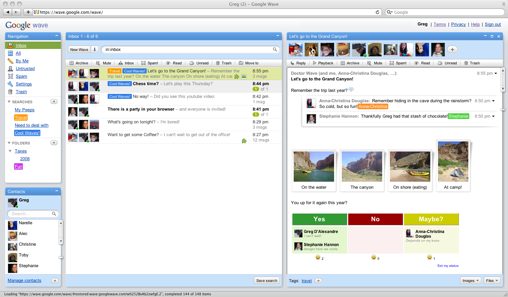
Google Wave is an online tool for real-time communication and collaboration. A wave can be both a conversation
and a document where people can discuss and work together using richly formatted text, photos, videos, maps, and more.
At this point, it may take a while to get an invitation to use this early version of Wave. The links below are some articles for more info. as well as the official google page where you can ask for an INVITATION to be a user.
Thursday, December 17, 2009
Zoom IN / OUT in a Web Browser.
Using the Mouse:
If you have a mouse with a wheel hold down the CTRL key, and then scroll the wheel to zoom in or out.
Using the Keyboard:
From the keyboard you can increase or decrease the zoom value in 10% increments.
To zoom in, press: CTRL+PLUS SIGN (+).
To zoom out, press: CTRL+MINUS SIGN (-).
To restore to 100%, press: CTRL+0.
Wednesday, November 18, 2009
Tuesday, October 27, 2009
Google Voice Liberates Voicemail
Google Voice provides a variety of calling services in conjunction with a new Google Voice number. The service is designed to receive calls to the user's Google Voice number and then ring all of the existing phone numbers supplied by the user to connect the incoming call.
Tuesday, September 1, 2009
Snap to Both Sides of Walls in AutoCAD Architecture – Layer 0
Just in case you forget every once in a while...
AutoCAD Architecture walls have a justification line and a width. Sometimes snaps will only work on the justification line and not on the linework determined by the width setting. After some aggravation with this, I've found the cause and the solution.
ACA will not snap to both sides of a wall if layer "0" is turned off. Be sure to keep both "0" and "defpoints" turned on in model space and in all paper space viewports.
As a general rule neither of those layers should actually be used to show linework in a drawing because they have so many behind the scenes uses. Layer "0" is used so heavily in blocks that you really want to always have it on. The reason that I ran accross this dilemna this week was drawing an addition onto CAD drawings produced by someone else. They had made heavy use of layer "0" for linework and hatch.