Wednesday, March 17, 2010

Xref Fade Control

This was troublesome to someone in the office. Thanks to the Mad Cadder for this solution. Sometimes, AutoCrap seems to flip a few switches on its on. How does that happen??

Original content from "The Mad Cadder" - copied below:


I am not sure if this is a new features for AutoCAD 2009 or 2010, but the solution is the same. When an xref is inserted in the drawing the colours appear faded. It looks like it is in a permanent "in-place edit block" mode but it is not.

I actually like this new feature because it allows for visual recognition of line work and a distinction between an xref and objects drawn.

To control the intensity of the fade or remove the fading use the following steps:In AutoCAD, open the OPTIONS dialogue box. Choose the DISPLAY tab. Located at the bottom-right of the dialogue box, there is a section called "Fade Control". Adjust the slide bar labeled "Xref display" to control the intensity of the Xref fade.


Thursday, January 7, 2010

Google Wave - The wave of the Future?


Heard of it yet?
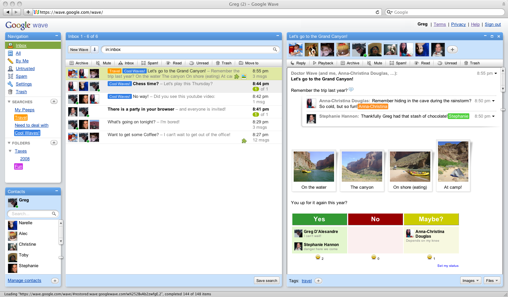
Google Wave is an online tool for real-time communication and collaboration. A wave can be both a conversation
and a document where people can discuss and work together using richly formatted text, photos, videos, maps, and more.

At this point, it may take a while to get an invitation to use this early version of Wave. The links below are some articles for more info. as well as the official google page where you can ask for an INVITATION to be a user.


Thursday, December 17, 2009

Zoom IN / OUT in a Web Browser.

Just in case you didn't already know, when using almost any web browser these days you can zoom in or out to view the web page larger or smaller. Try it in Explorer, FireFox, Chrome, Opera, etc.

Using the Mouse:
If you have a mouse with a wheel hold down the CTRL key, and then scroll the wheel to zoom in or out.

Using the Keyboard:

From the keyboard you can increase or decrease the zoom value in 10% increments.
To zoom in, press:  CTRL+PLUS SIGN (+).
To zoom out, press:  CTRL+MINUS SIGN (-).
To restore to 100%, press:  CTRL+0.

Tuesday, October 27, 2009

Google Voice Liberates Voicemail

Users of Google Voice can now choose Google as a voicemail provider for existing mobile numbers, displacing mobile carrier voicemail systems in the process.

Google (NSDQ: GOOG) on Tuesday plans to enable a subset of Google Voice features, notably voicemail, when using an existing mobile number, a move that partially thwarts Apple's effort to keep Google Voice off the iPhone.

Google Voice provides a variety of calling services in conjunction with a new Google Voice number. The service is designed to receive calls to the user's Google Voice number and then ring all of the existing phone numbers supplied by the user to connect the incoming call.

ARTICLE: http://blogs.computerworld.com/14984/google_voice_now_works_for_call_forwarding maxhouserocks blog: www.blogger.com - autofeed to FaceBook http://maxhouserocks.blogspot.com/2009/10/google-voice-liberates-voicemail.html

Tuesday, September 1, 2009

Snap to Both Sides of Walls in AutoCAD Architecture – Layer 0

Just in case you forget every once in a while...

AutoCAD Architecture walls have a justification line and a width. Sometimes snaps will only work on the justification line and not on the linework determined by the width setting. After some aggravation with this, I've found the cause and the solution.

ACA will not snap to both sides of a wall if layer "0" is turned off. Be sure to keep both "0" and "defpoints" turned on in model space and in all paper space viewports.

As a general rule neither of those layers should actually be used to show linework in a drawing because they have so many behind the scenes uses. Layer "0" is used so heavily in blocks that you really want to always have it on. The reason that I ran accross this dilemna this week was drawing an addition onto CAD drawings produced by someone else.  They had made heavy use of layer "0" for linework and hatch.

Wednesday, August 5, 2009

I think I'm turning MAC'anese, if you please

Today is a new and glorious day! Oh glorious day! I just got an iPhone (3gs, 16mb)  last night and i feel soooo relieved to get out of Windows mobile 6 HELL!!
As a matter of fact, Dawnmarie and i both FINALLY got into our new iPhones and will soon be making the swith to MAC laptops... me thinks!
No problem for DM. She'll be at ease being back in the MAC world as a teacher... Windows was not friendly or helpful for her. Me though,  with my 3d and Autocad apps i am a bit worried about taking the plunge, but ive read many articles and forums lately where people discuss running AutoCad and 3ds Max using dual boot and bootcamp for windows apps.
Also, considering dumping Outlook right now, moving to Gmail and Google Calendar. We also use a great online shared calendar system called Airset that will work well with google and the iPhone.
So, any general comments, recommendations, etc. about the whole switch to MAC thing?